A month, not a list
Income sources and fixed bills become a plan for each month. A template only starts in its anchor month, so a quarterly bill never invents a payment in a month it does not belong to.

Finanz turns recurring income and bills into a month you can read at a glance: what comes in, what goes out, what is still open, and what a debt payment still owes. Your records stay on your phone.
The mobile app is written in Flutter and the web client in Next.js. Neither is a port of the other: both implement the same domain model, and the rules are written down once so the two cannot drift apart.
Income sources and fixed bills become a plan for each month. A template only starts in its anchor month, so a quarterly bill never invents a payment in a month it does not belong to.
One month, three views: what is still open, what is coming in, and the totals that matter. Filter by category, search by name, jump between months.
A debt payment is one operation: settling the entry and moving the balance happen together, and the entry records what the balance actually took — not what was asked for.
Income, expense and paid side by side for the last months, plus a net cash flow curve that shows whether the month is heading up or down.
Premium adds a family pool: create one or join with a code. The shared folder lives in Google Drive, and the app only reaches that one folder.
The app is local-first. The one server we run holds your account and nothing else. For a backup, the app writes an encrypted file under a passphrase only you know.
Everything is written for a phone first: a bottom bar, one column, and the numbers that matter within a thumb’s reach. A tablet shows the same sidebar and readable columns the web client shows on a desktop.
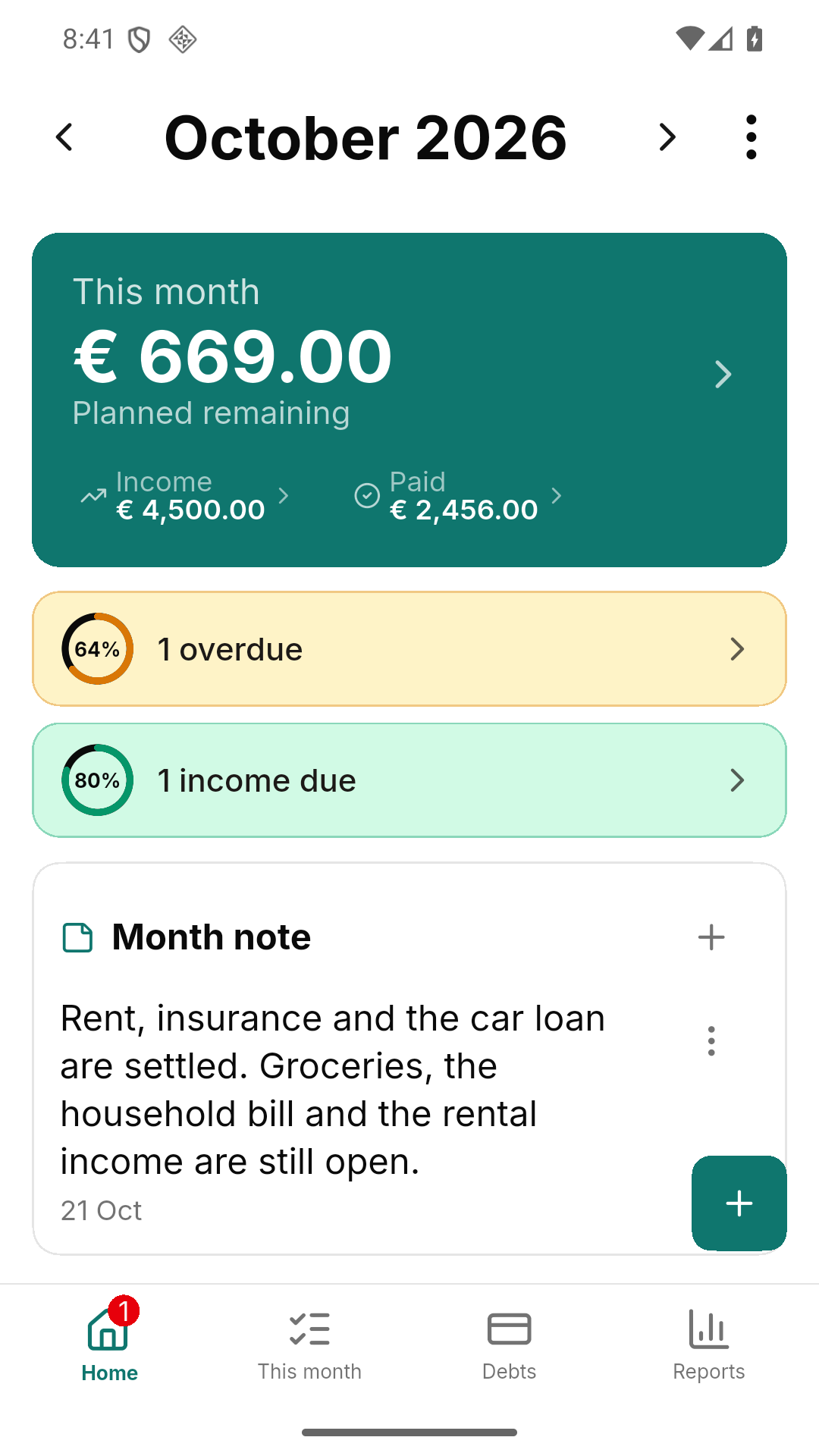
What is planned to remain, what is overdue, what is still coming in.
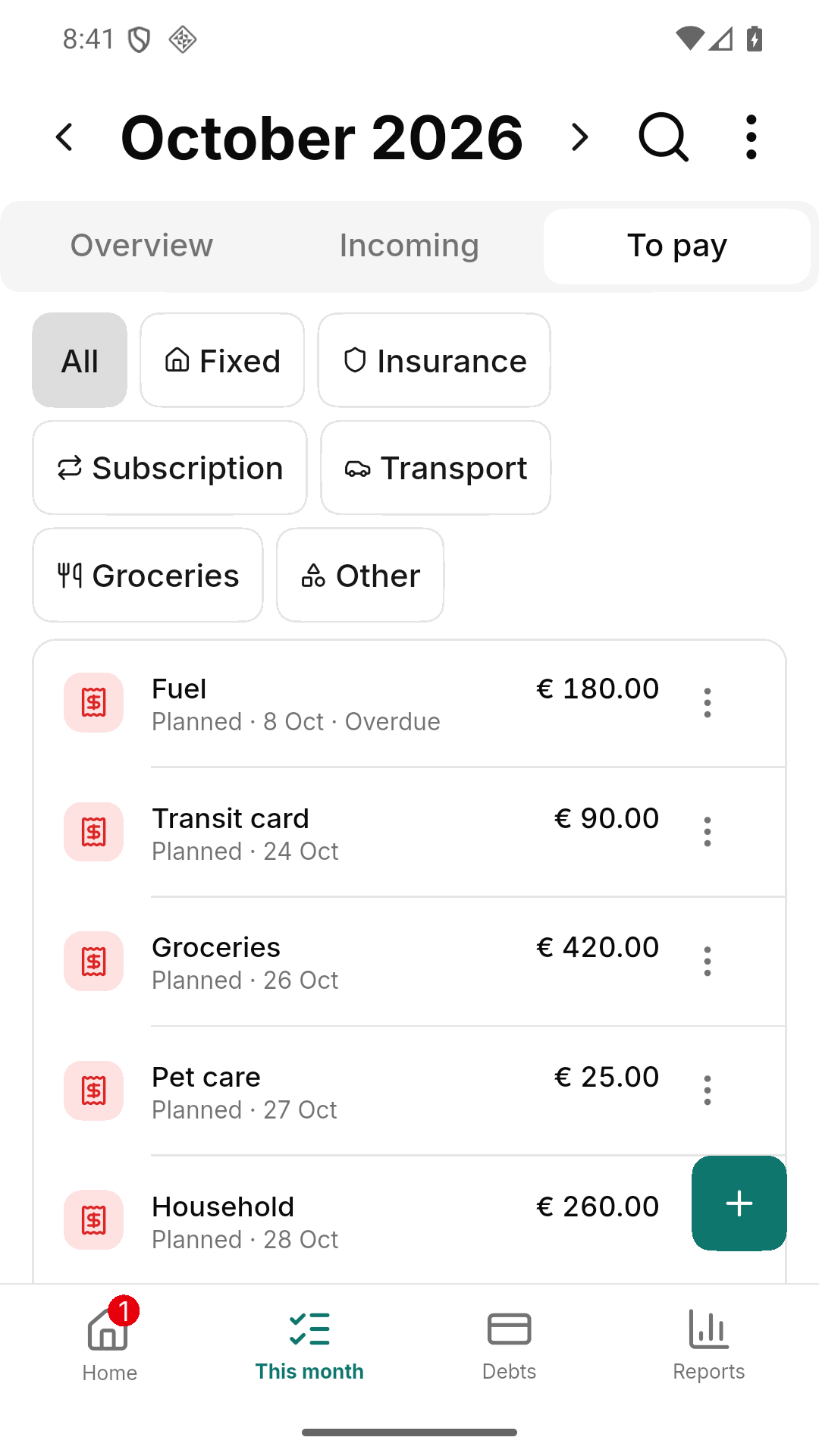
Everything still open, with the categories one tap away.
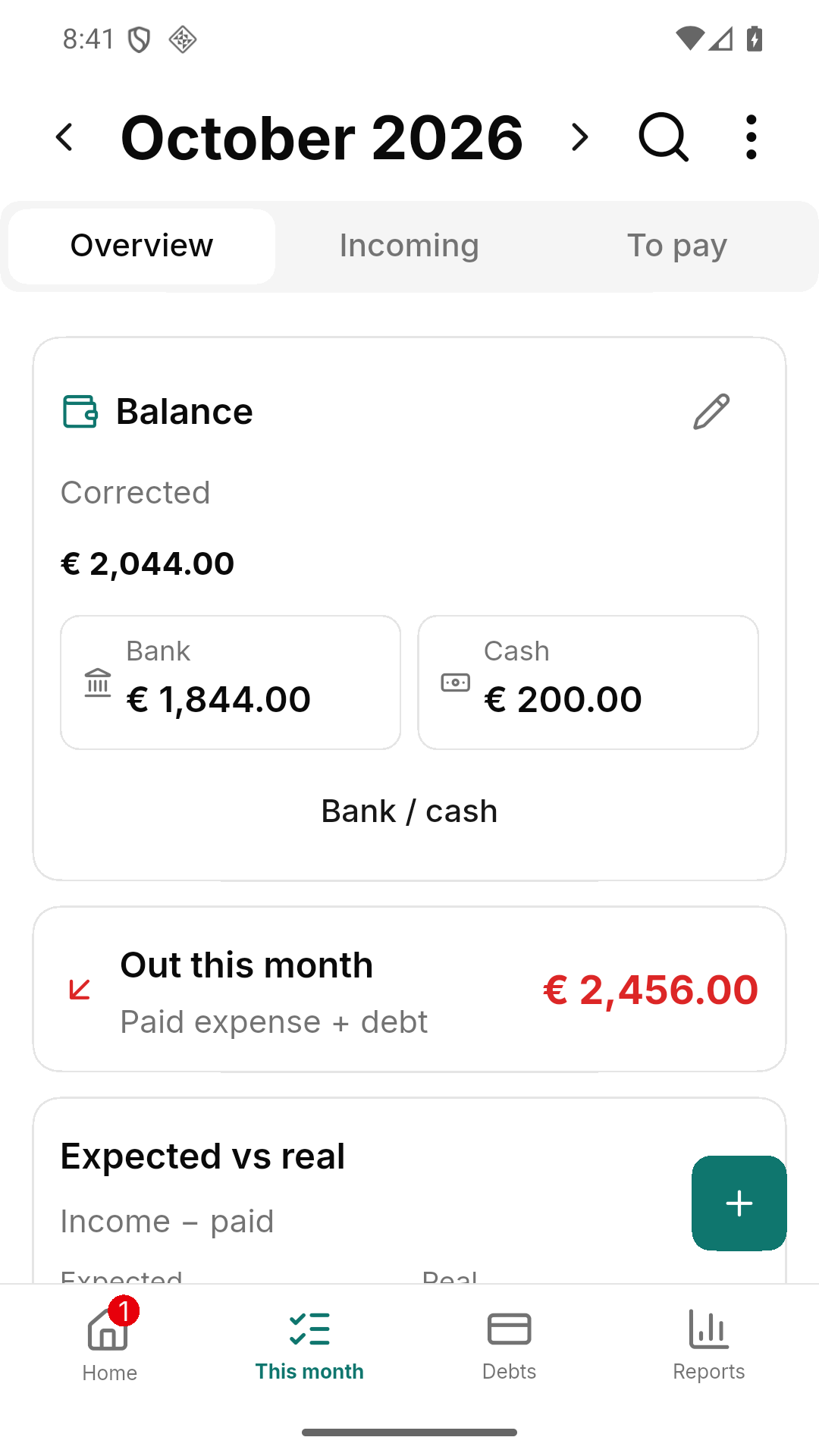
Bank and cash, what went out, and what was expected against what was real.
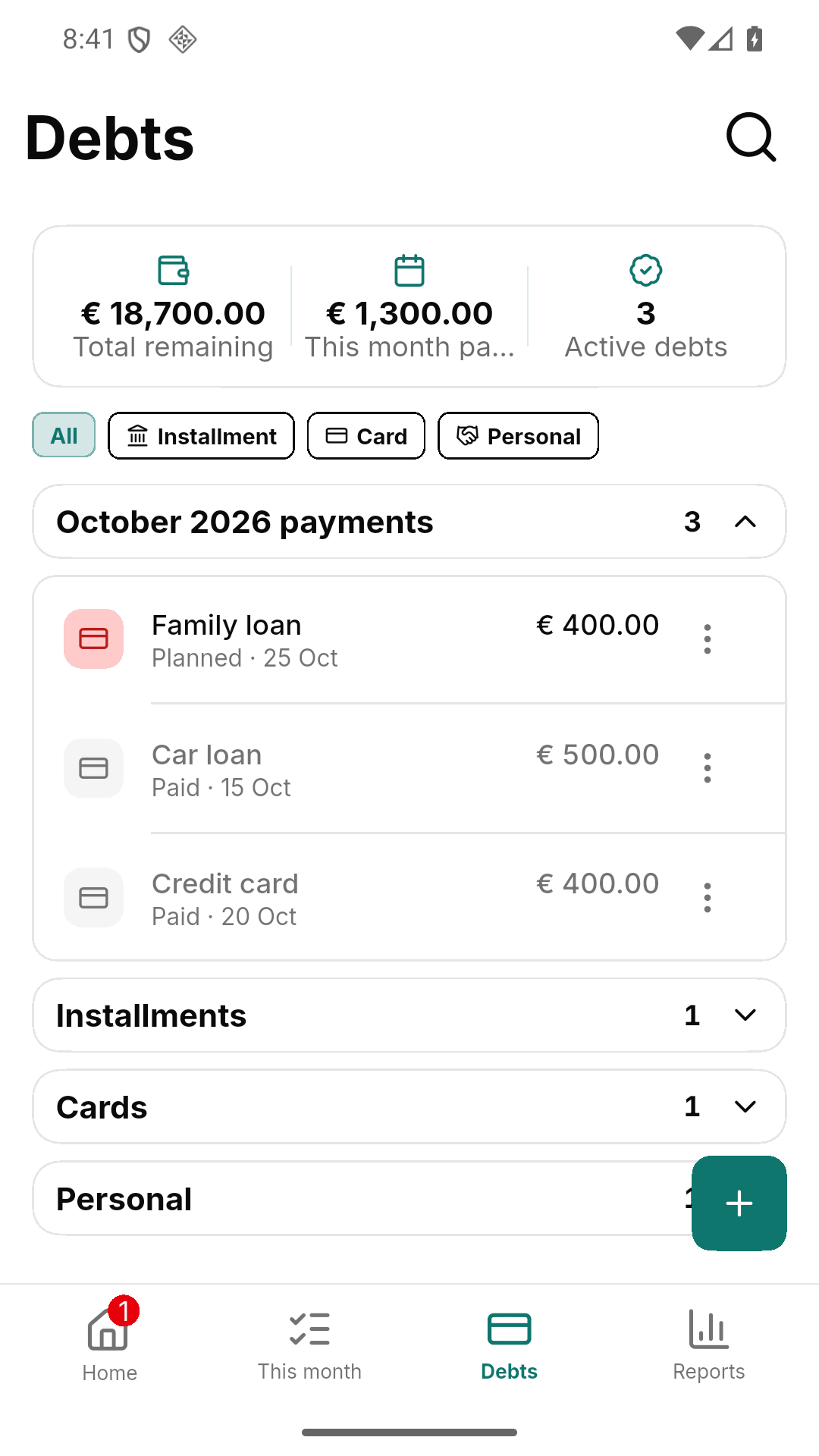
Total remaining, the payments of this month, every debt by type.
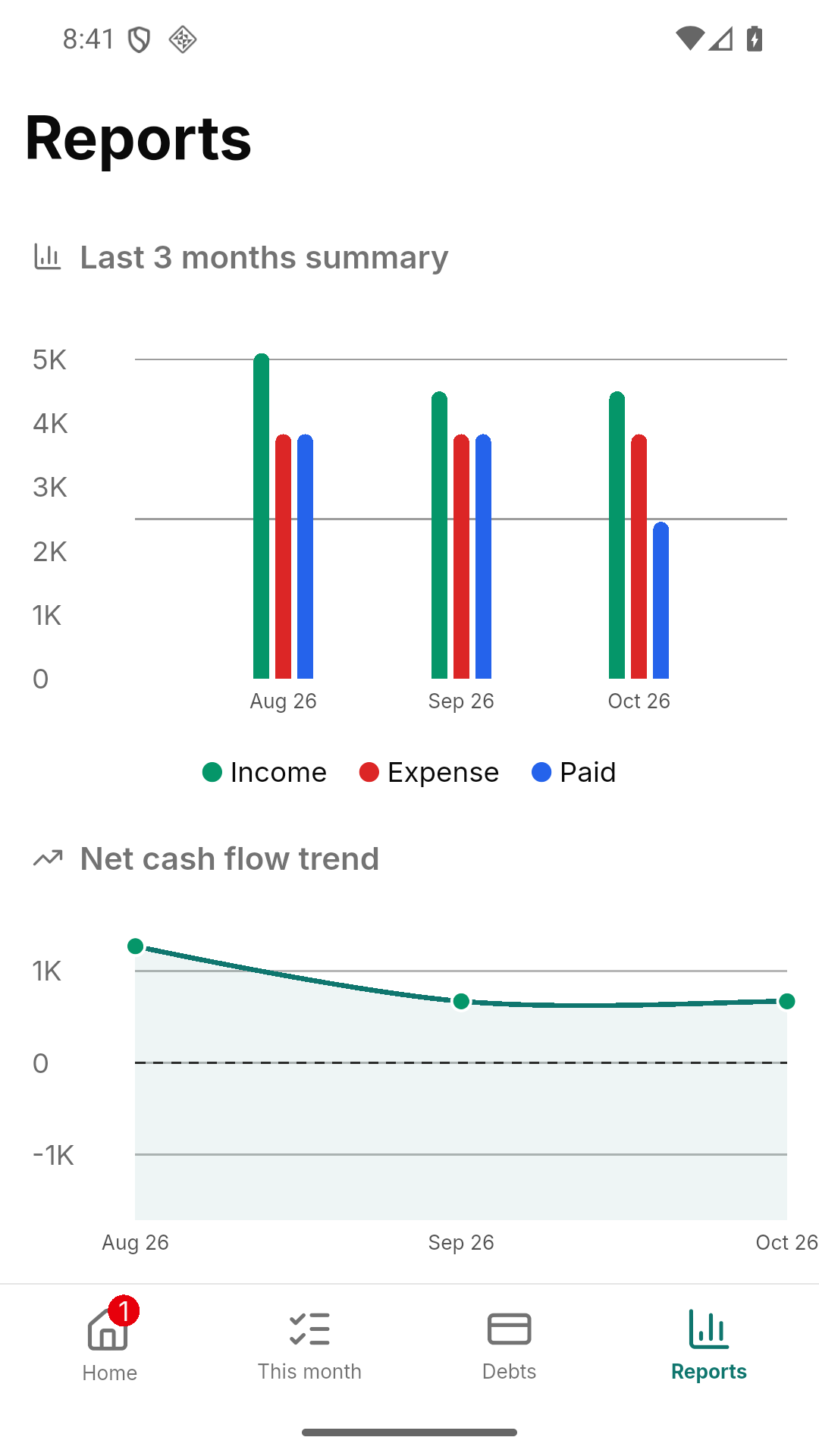
Income, expense and paid month by month, and the net cash flow trend.
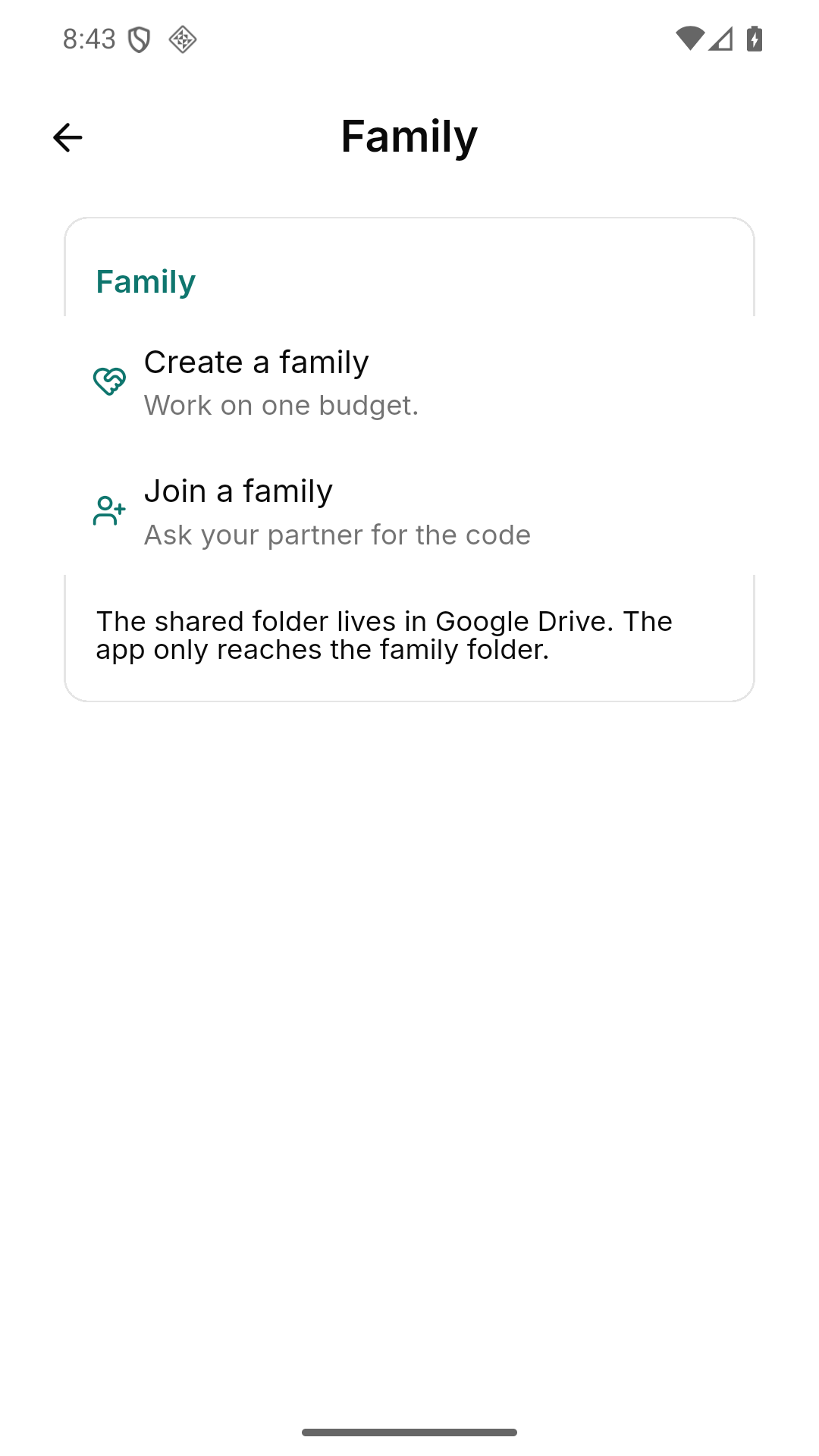
Create a pool or join one with a code. The shared folder stays in Google Drive.
A budget is personal, so the app keeps it on the device it was written on. We run one small server, and it has a very short job description.
0
entries, amounts or debts on our servers. The only thing we keep is your account — and with a Google sign-in, not even that.
The free plan is not a demo: it keeps working, it keeps every entry, and it does not expire. Premium removes the ads and adds the family pool.
€0 · permanently
Everything that belongs to your own month, on your own phone.
Price on Play · monthly or yearly, depending on your region
For the household that keeps one budget together.
Google Play sets the price per region and currency. SEDO Apps never charges you directly, and the trial is started by Google, not by us.
The interface, the number formats and the currency follow the phone. A German phone gets German and euros; a Hindi phone gets Hindi.
On your phone. The app writes them into a local database and keeps them there. Nothing about your budget is sent to us — not to sync, not to analyse, not to improve the app.
Yes. The app asks for an account before it opens — with Google or with your own e-mail address. Your budget still stays on your phone: the account carries the family pool and the advertising of the free plan, not your entries.
Your e-mail address, a hashed password and the session of your login. With a Google sign-in the server keeps nothing at all: it never sees your e-mail address.
The free plan carries ads on the home screen, provided by Google and kept away from the entry form. Premium removes it completely. No ad ever sees what you have written down.
Yes. The app is supported from 320 dp wide. A phone gets the bottom bar, a tablet gets the same sidebar and readable columns the web client shows on a desktop.
With Premium: create a family pool or join one with a code. The shared folder lives in Google Drive, and the app only reaches that one folder — never your other files.
It is coming to Google Play. Until then, write to info@sedoapps.de and we will let you know the moment it is there.
No. The subscription belongs to your Google account, not to the app: install the app again and Premium is back - you do not pay twice. Your records stay on the phone, though, so export a backup under Settings → Data before you delete the app.
Both are there. The yearly plan costs less over a year; the monthly plan commits you for less time. Both open the same features, and you can cancel either one in Google Play at any time.
One app, one budget, your records on your phone. Write to us if you want to know first — we answer every message.